Building · 4 min read
Laying track: the rail building system
Track in Rail Island is drawn, not stamped onto a grid. You click where the line should go, the game fits the curve, and the ground underneath moves to meet it. Here is what actually happens between those two clicks.
Drawing a line
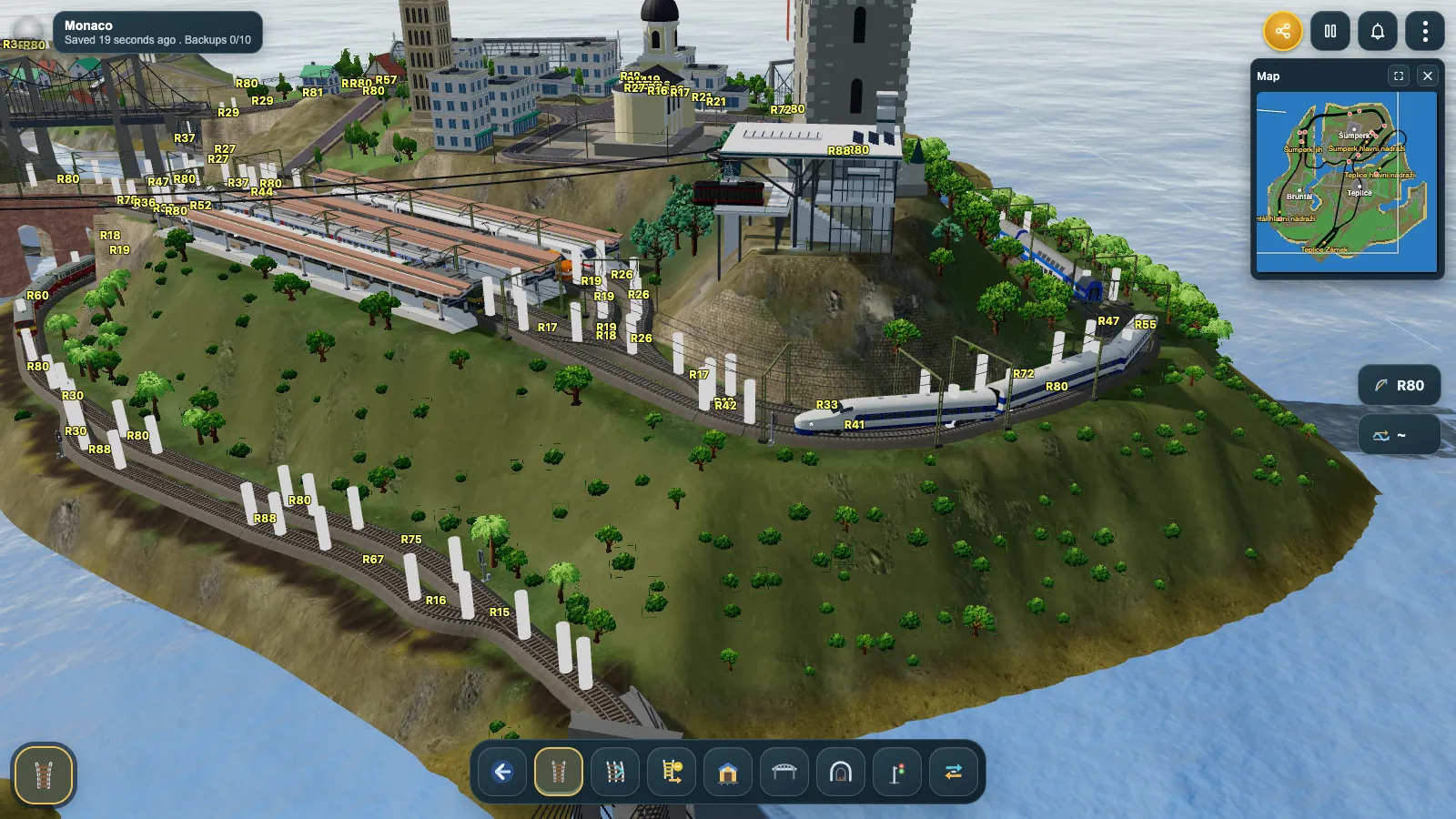
The Rail tool is free-angle. There is no square grid to fight: click a start point, click the next one, and the game lays a straight section between them. Click a third point and it does something more useful — instead of leaving a hard corner, it fits an arc into the bend, so the line reads as a real railway curve. The radius of that curve is shown right on the track while you build (the R80, R47, R26 labels you see in the screenshot above), and you can set the arc radius yourself from the toolbar before you draw.
The ground follows the track
A railway cannot climb a hillside at any angle it likes, and Rail Island enforces that for you. When you commit a chain, the game flattens a corridor under the track to the rail height and grades the ground outward from it, which is what turns a line across rolling country into cuttings and embankments. Rail is held to a gentle maximum gradient; roads are allowed twice as much, which is why a road can charge up a slope a railway has to sidestep.
Three kinds of track
The Rail tool's Change button opens the rail type picker, and the type you pick is stored per segment — so one island can carry all three.
| Type | What it looks like | Why you would use it |
|---|---|---|
| Wooden sleepers | Classic timber ties on gravel ballast | Branch lines, sidings, anything that should look old |
| Concrete sleepers | Pale modern ties | Main lines and high-speed runs |
| Electric | Concrete sleepers plus masts and overhead wire | The only track electric locomotives can work under |
More than one track
Multiple rails is a three-click wizard for doubling a line: click a point on the source track, click the side to offset toward, then click where the parallel run should end. The game routes between the two points, offsets every leg perpendicular to it, and shows you the whole corridor as a ghost before you confirm. It snaps onto parallel track that already exists, so the third and fourth tracks of a busy approach land on the same lattice as the first two.
Stations
The Station tool places a whole station in one action: real track under the platforms, a graded pad under the building, and a generated station name in your language. Before you place it you choose the number of tracks (one to six), the platform length (30 to 200), the rotation in 45° steps, and the station type.

Bridges and tunnels
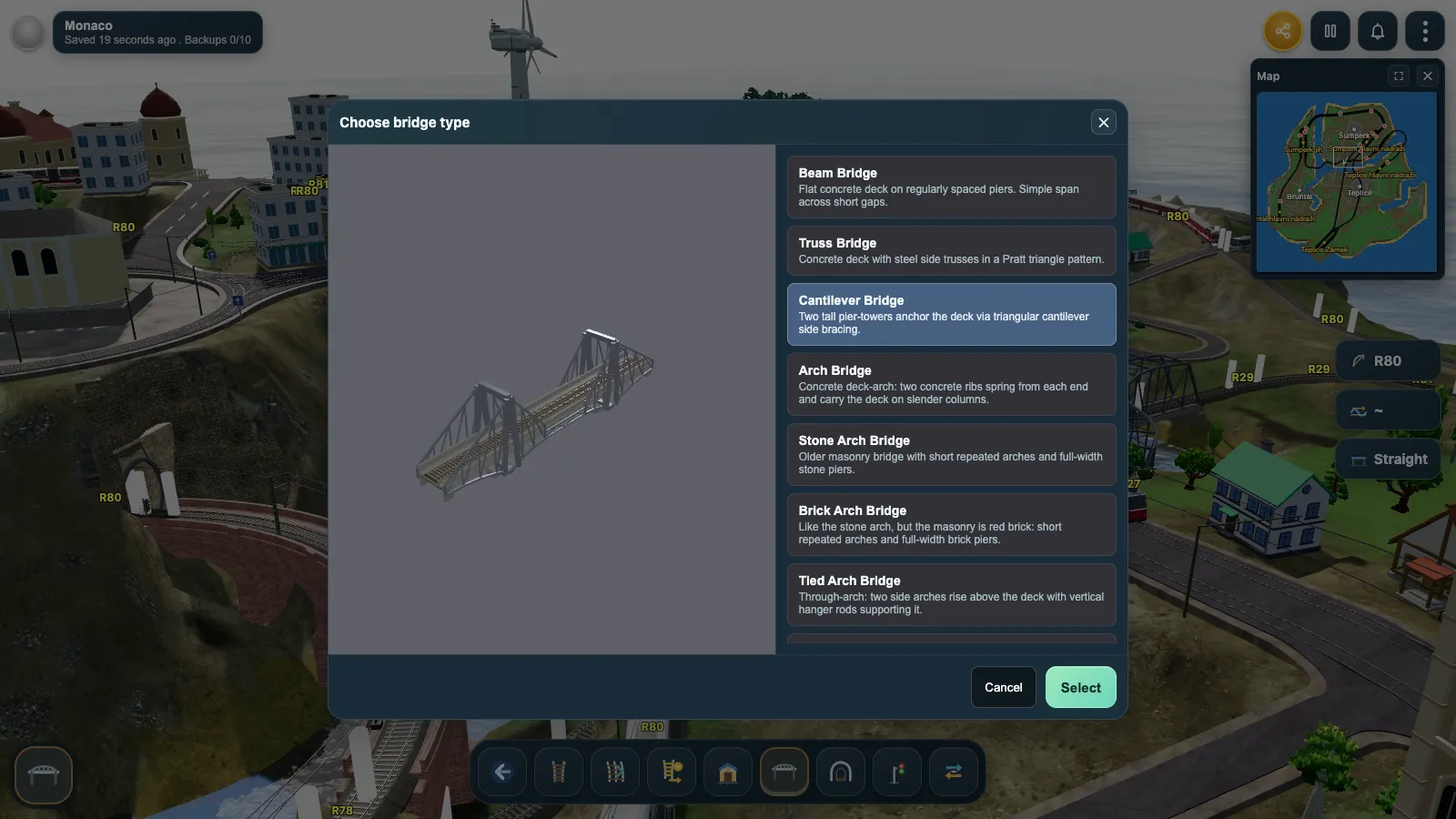
The Bridge tool draws a path the same way the Rail tool does. Where the ground drops away beneath the line, that stretch becomes the span; the approaches on either side stay ordinary track, cut into the hillside rather than raised on an embankment. Each style is previewed in 3D before you build it.
Bridge styles
- Beam
- Truss
- Cantilever
- Arch
- Stone arch
- Brick arch
- Tied arch
- Suspension
- Cable-stayed